Ledge / THE CORE

Your chart.
With a layer of understanding.

Liquidity levels, trend gauges and an order ticket sized by the risk you chose. Ledge brings the context together on the platform you trade on.

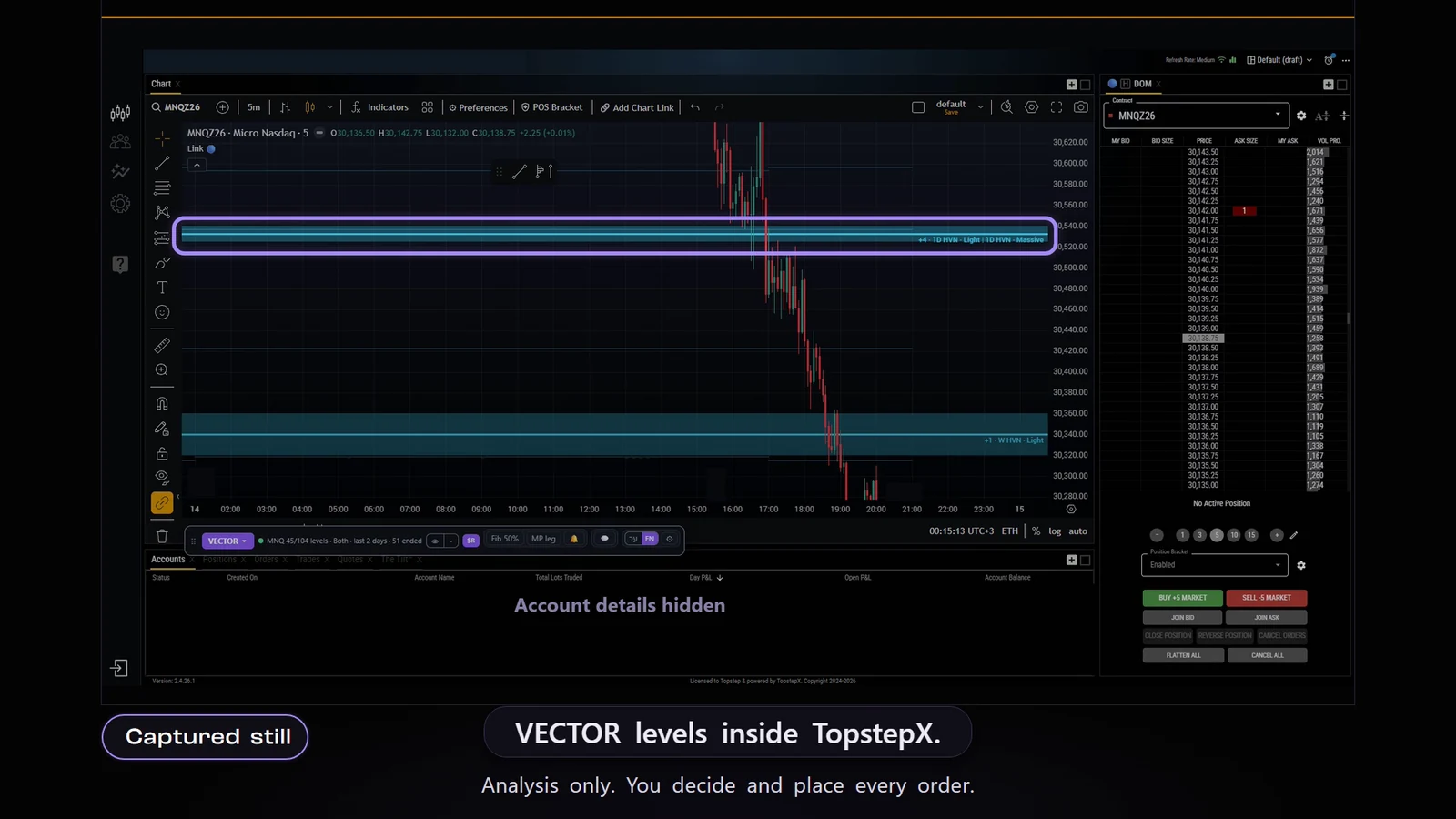
Ledge on TopstepX
A recorded product demo

Start with the levels

Market structure, on the chart.

01

Light and Massive

POC, HVN and LVN levels from the volume structure. Massive shows fewer levels; Light shows more. Timeframes by plan: Free 4H · D · W · M; Explorer from 1H and up (incl. M); Advantage and Master all timeframes (incl. M); Master also seconds charts 1S/5S/15S/30S.

02

Lines, segments or both

Choose how to show the levels. Overlapping levels are grouped into one label with a count, without hiding the information.

03

HOLD / REJECT odds

On the nearest Ledge levels a percentage appears: «REJECT 63%» on a level above the price, «HOLD 60%» on a level below it. It is a statistical analysis of liquidity levels from Ledge's model. It can be wrong, and it is not a forecast and not advice. (This is the name for the «statistical analysis of liquidity levels».) Master only · futures: TradingView, Tradovate, TopstepX, Ledge desktop and Ledge WEB (not on crypto).

04

Four trend gauges

Fast · Intraday · Swing · Trend, from left to right. On every plan, on TradingView, Tradovate, TopstepX and NinjaTrader; not on Binance and Bybit. In Ledge desktop they are off by default and can be turned on.

Every order starts with you

The quantity follows the risk.

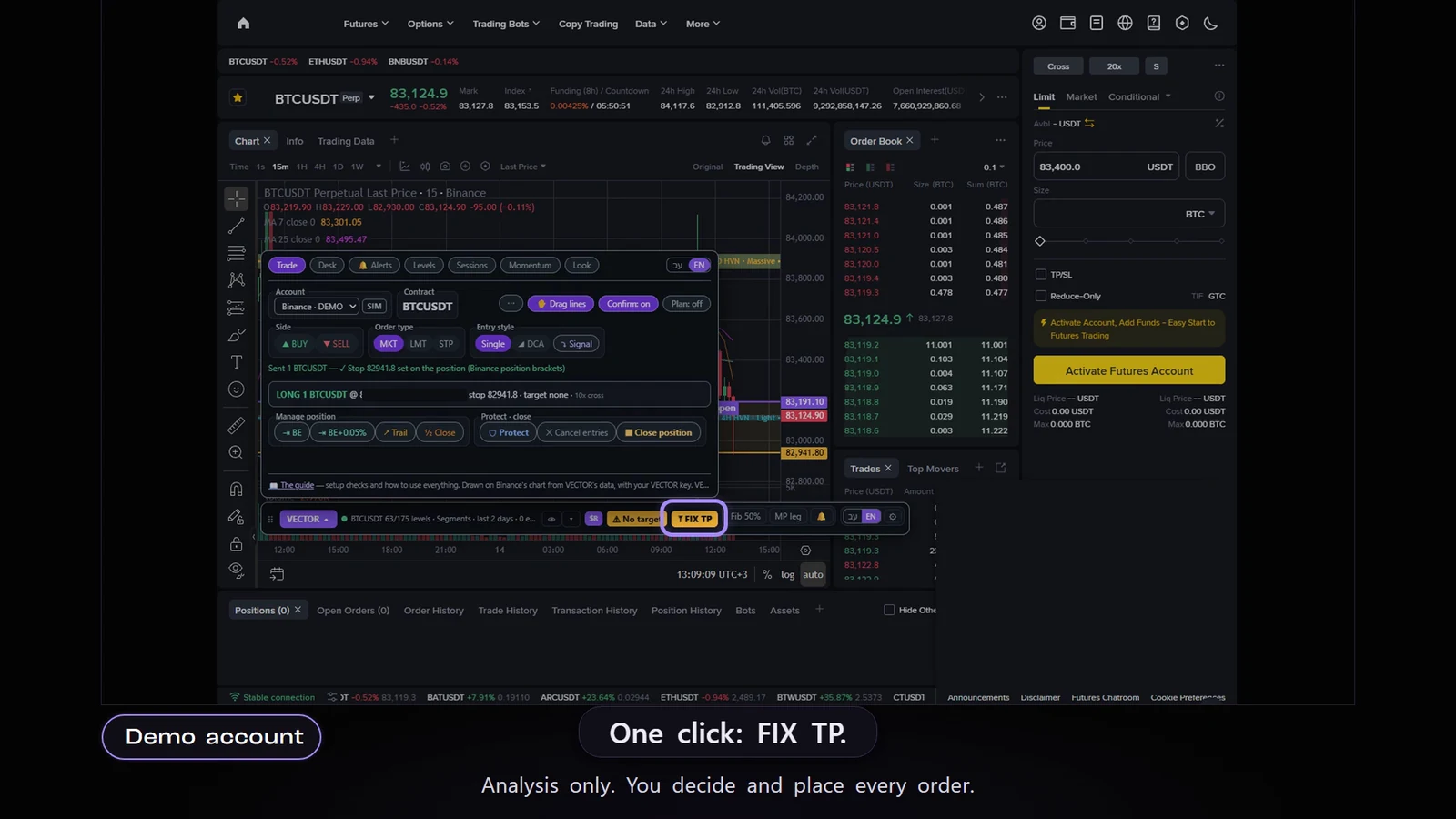
Set your risk in dollars and your stop. The ticket works out the quantity, and you check and confirm. If the risk doesn't cover one contract, the quantity is never rounded up.

Protect helps add a missing stop. A daily plan lets you set your own limits. Exits and closing always stay available.

Planned risk is an estimate. Fees and slippage can increase the loss.

A target-fix demo in the Ledge ticket
Recorded example · demo data

Fits your workspace

Six platforms. Plus Ledge desktop.

01

TradingView · Tradovate · TopstepX

The Ledge extension for Chrome: one extension for TradingView, Tradovate, TopstepX, Binance and Bybit; you turn on only the platforms you trade on. For futures the extension adds the Ledge system: the levels, the four trend gauges and the order ticket on the platform's chart.

02

Binance · Bybit

Levels on crypto charts, quantity from risk and ladder entries. The trend gauges, Ledge Chat and Strategies state are not available for coins.

03

NinjaTrader 8

Ledge for NinjaTrader: levels, four trend gauges and a risk-based order ticket. One of the platform options on every paid plan.

04

Ledge desktop and Ledge WEB

Ledge desktop: a program for Windows and Linux (no macOS) for charts, levels, alerts and trading accounts. The four trend gauges can be turned on and are off by default. Ledge WEB in the browser (ledge.purpledge.io): the chart, the levels and the alerts. Trading is done in Ledge desktop.

Your next session, with context.

Read the market.
Decide yourself.

Meet Ledge on your platform, with a Free account.

Start free

A Free account, no time limit. Upgrade whenever you want.

READ THE LEVELS

Every line tells you something.

Pick a level. See where it comes from and where it sits against the price.

NQ / LEVELSSimulated data
POC · 21,588.50POC · 21,531.75HVN · 21,494.00LVN · 21,462.50LAST 21,512.25

HVN · a 1H Light level, 18.25 points below the sample price.

The levels in the demo are simulated. A touch alone is not an instruction to act.

Product demo

A recorded demo from the product pack · tools for analysis, not investment advice.

Start free · Free, no time limit