
Let’s find your
starting point.
Tell us which assets you trade, which platform you use and what you would like to understand better. We’ll help you explore the relevant tools.
Message sent
Thanks, we will be in touch by email shortly. For anything urgent, message us on WhatsApp.
Stay connected
away from your desk.
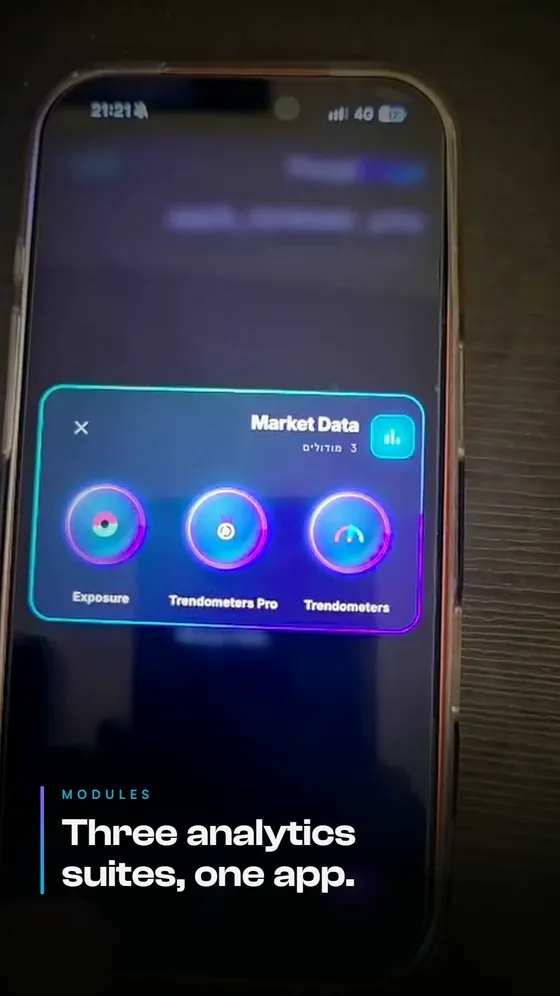
The app is available in private beta: analysis, trend gauges and alerts on your phone. Contact us for the official download link and installation instructions.
Trading from the app — coming soon.
You might find the answer here
What do I actually get with PurplEdge?
Market-analysis tools: indicators that add information to your TradingView chart, trend gauges in your browser, and a community for learning and discussing analysis. Higher plans add risk-planning tools and alerts.
Do I need coding skills or trading experience?
No coding is needed. You should understand the basics of trading and its risks. Start with the Free plan, read the explanations and ask the community before adding more tools.
Do the tools tell me when to buy or sell?
The tools show trend and price-level information and support trade planning. You assess the information and decide whether to act. This is not a buy/sell instruction service or a promise of results.
Can I use this with a prop-firm account?
Yes, that is who we built them for: prop traders trading a funded account. You can analyze markets in TradingView and your browser. Check that each tool or connection is compatible with your firm’s rules and account type.
Where do the tools run?
Add indicators to charts in your TradingView account. Open Trendometers in your browser. Community analysis is shared on Discord and WhatsApp. The mobile app is in private beta; the team sends the official download link. Trading from the app is coming soon.
What is free, and is there a time limit?
Free includes one Liquidity Zones edition, Trend Background, trend gauges for one asset and community access. There is no time limit and no credit card is required. Choose your coverage and edition during onboarding.
What about automated trading?
Full automation is coming soon as a separate service for prop-firm accounts only. It is not included as an active product in the plans shown here and will never run on customers’ personal capital.
I paid. When do the tools open?
Indicator access opens on the TradingView account you gave us, usually within 15 minutes of payment. Taking longer? Message us on WhatsApp with your TradingView username and we will check.
Can I change plans or cancel?
Yes. Billing is monthly with no lock-in. Change or cancel your plan in your account, under Subscription, or by contacting us. Within 14 days of purchase you get a full refund, with no cancellation fee.
I forgot my password, or my TradingView username is not recognized
On the sign-in screen, click “Forgot password?” to get a reset link. A short video on the Start free page shows how to find your TradingView username. Still stuck? Write to us and we will help.