
Check the market.
From the browser too.
Ledge WEB: Ledge in the browser, at ledge.purpledge.io — the chart, the levels and the alerts.
Included with Ledge desktopMeet Ledge WEB →Ledge by PurplEdge / The chart. With a plan.
The levels worth checking. The trend on several timeframes. The risk you set in advance. All on your chart.
The demo is open here, no sign-up.
Further down we'll show the connection and the features that fit you.
Drag the entry, TP or SL · keyboard: ↑ ↓
The set risk doesn't cover one contract at this stop distance.
Demo order only · dragging the entry moves the target and stop too
Scroll to zoom · drag to move through time · pinch on mobile · real NQ data from the last year
01 / TrendFast · Intraday · Swing · Trend. Check too when the readings disagree.
Tools for analysis and decisions. The decision stays yours.
Plan a sample trade ↓Try Ledge / from the numbers to the chart
Pick the risk, entry, stop and target. Confirm to see your plan on the chart.
Simulated data. The maths uses the contract's point value, before fees and slippage.
No sign-up for the demo · no order is sent
Drag the entry, TP or SL · keyboard: ↑ ↓
The set risk doesn't cover one contract at this stop distance.
Demo order only · dragging the entry moves the target and stop too
Scroll to zoom · drag to move through time · pinch on mobile · real NQ data from the last year
Ledge / on your chart
See the product inside the workspace you know. Pick a platform for its capture, video or connection notes.
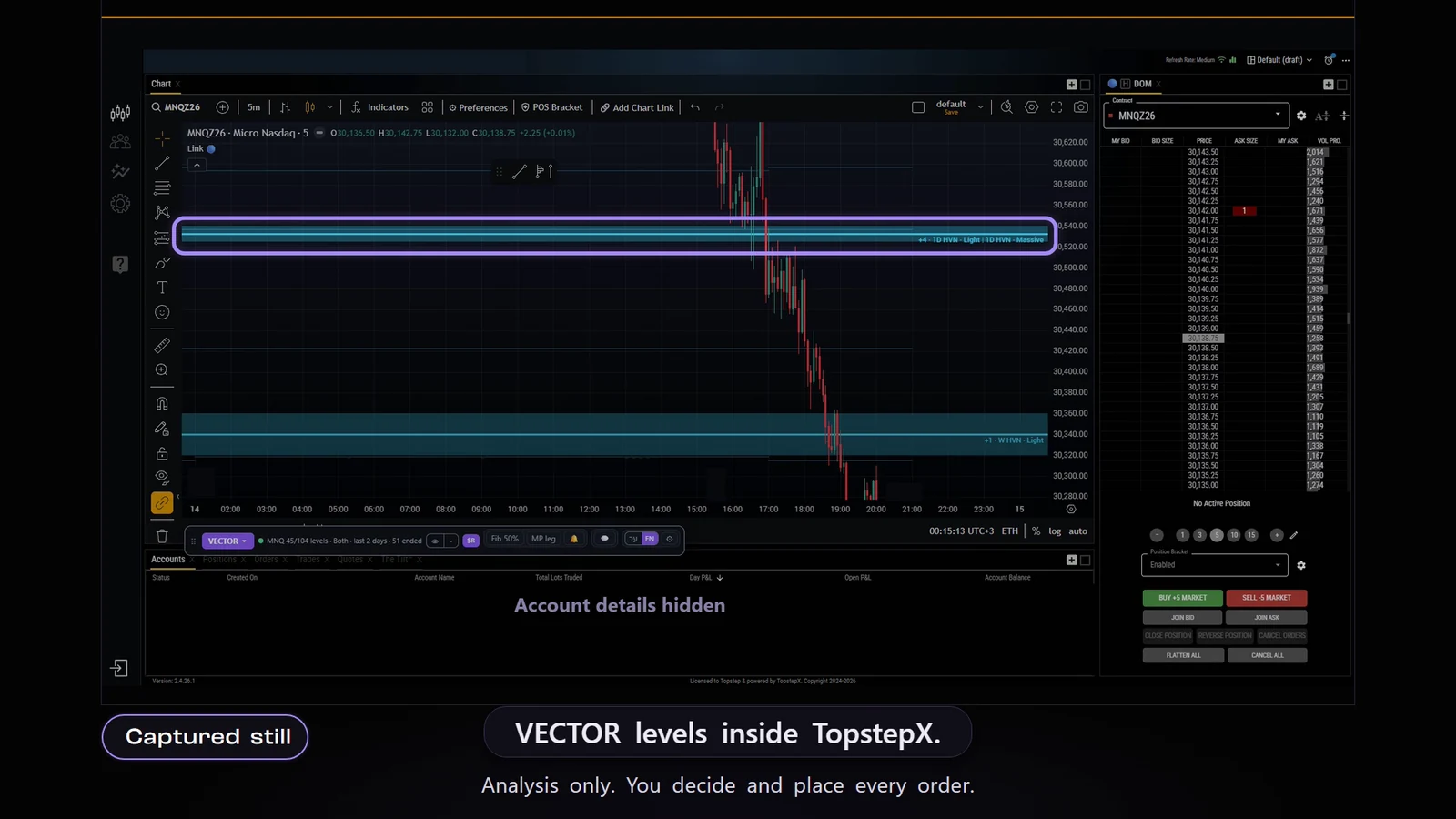
The same workflow. Inside your platform.
Explanatory illustration, not a product captureTopstepX · recorded product capture
The levels, the four trend gauges and the risk-based order ticket inside your chart. Protect to add a stop, and split exits at entry.
Product capture and recording from TopstepX. The demo above uses real NQ data from the last year; here you see the Ledge interface on the platform.
TradingView, Tradovate, TopstepX and NinjaTrader count as platforms: one on Free and Explorer, two on Advantage, all on Master. Ledge desktop and Ledge WEB are not counted and come with every plan, Free included. Binance and Bybit are not counted: crypto goes by assets.
Meet Ledge's levels and trend gauges with a Free account.
A Free account, no time limit. Upgrade whenever you want.
What do the plans include? ↓Your workspace
The same system, with tools that fit the moment you're in.
Ledge WEB: Ledge in the browser, at ledge.purpledge.io — the chart, the levels and the alerts.
Included with Ledge desktopMeet Ledge WEB →Strategies state shows the side, entry, stop and target. You pick the risk and check the order before you confirm.
For futures · by planHow does Strategies state work? →Alerts, trend gauges and the community on your phone. The app is in a private beta for a limited group of users.
Private beta · information and alertsAbout the app →Once you know it, you choose
Free: one asset, Ledge desktop and Ledge WEB plus one add-on, no time limit. Then you can pick a plan.
6 assets · 1 platform
12 assets · 2 platforms
24 assets · all supported platforms
Prices in US dollars. At checkout you pay in shekels, VAT included.
TradingView, Tradovate, TopstepX and NinjaTrader count as platforms: one on Free and Explorer, two on Advantage, all on Master. Ledge desktop and Ledge WEB are not counted and come with every plan, Free included. Binance and Bybit are not counted: crypto goes by assets.
14-day refund: a full refund within 14 days of the first payment of a new subscription, on request through support; renewals are not refunded. Terms
Compare every feature →Before you start
It shows liquidity levels, four trend gauges and an order ticket that sizes the quantity from the risk and stop you chose. Every order comes from your own action.
The Ledge extension for Chrome: one extension for TradingView, Tradovate, TopstepX, Binance and Bybit; you turn on only the platforms you trade on; Ledge for NinjaTrader; and Ledge desktop (Windows and Linux) with Ledge WEB in the browser. Features vary by platform.
Free, no time limit: one asset, plus Ledge desktop, Ledge WEB and one add-on you pick — TradingView, Tradovate, TopstepX or NinjaTrader (futures only; no crypto on Free). The pick is final. One 30-minute window a day, shared by all platforms: it starts when you press «Start»; the day turns at 18:00 New York time.
Inside the window (shared by all platforms), for the picked asset: levels 4H · D · W · M, sessions, candle profile, score background, asset map, Ledge Chat (10 messages a month) and Ledge desktop and Ledge WEB with one broker account. All day: the asset's trend clocks (futures), Level Arena and one sample session of Market Replay.
No new entries on Free — exits and protections always work. Not on Free: alerts of any kind, 1H and shorter levels, seconds charts, Strategies state, HOLD / REJECT odds. One device at a time.
You pick a plan: Explorer, Advantage or Master. Free stays if you don't.
Free and Explorer: one device at a time. Advantage: two. Master: three. Signing in on an extra device over the limit signs the other device out at once; on the signed-out device you can still close or protect a position. A phone connected through the app doesn't count.
Install the Ledge extension for Chrome and turn on TradingView in it. The extension adds the Ledge system to the chart: the liquidity levels, the trend gauges and the risk-based order ticket. The same single extension serves Tradovate, TopstepX, Binance and Bybit.
14-day refund: a full refund within 14 days of the first payment of a new subscription, on request through support; renewals are not refunded. Refund and payment terms.
No. The system shows information for analysis and decisions. Even the model's readings can be wrong. The decisions and the risk stay yours.
From here, on to your account
Liquidity levels, trend gauges and an order ticket, on the platform you trade on.
A Free account, no time limit. Upgrade whenever you want.
14-day refund: a full refund within 14 days of the first payment of a new subscription, on request through support; renewals are not refunded. Terms
What does Free include? →LEVEL ARENA / keep practising
In the full game, price reaches a Ledge level at a real moment from the past. What follows is hidden — you read the chart and decide what to do.
On every plan. Real moments from 2018 on when price touched a level, scored in R, no orders; 10 moments a day plus free play. On Free it's open all day, with one challenge a day.
The game rules, and Market Replay →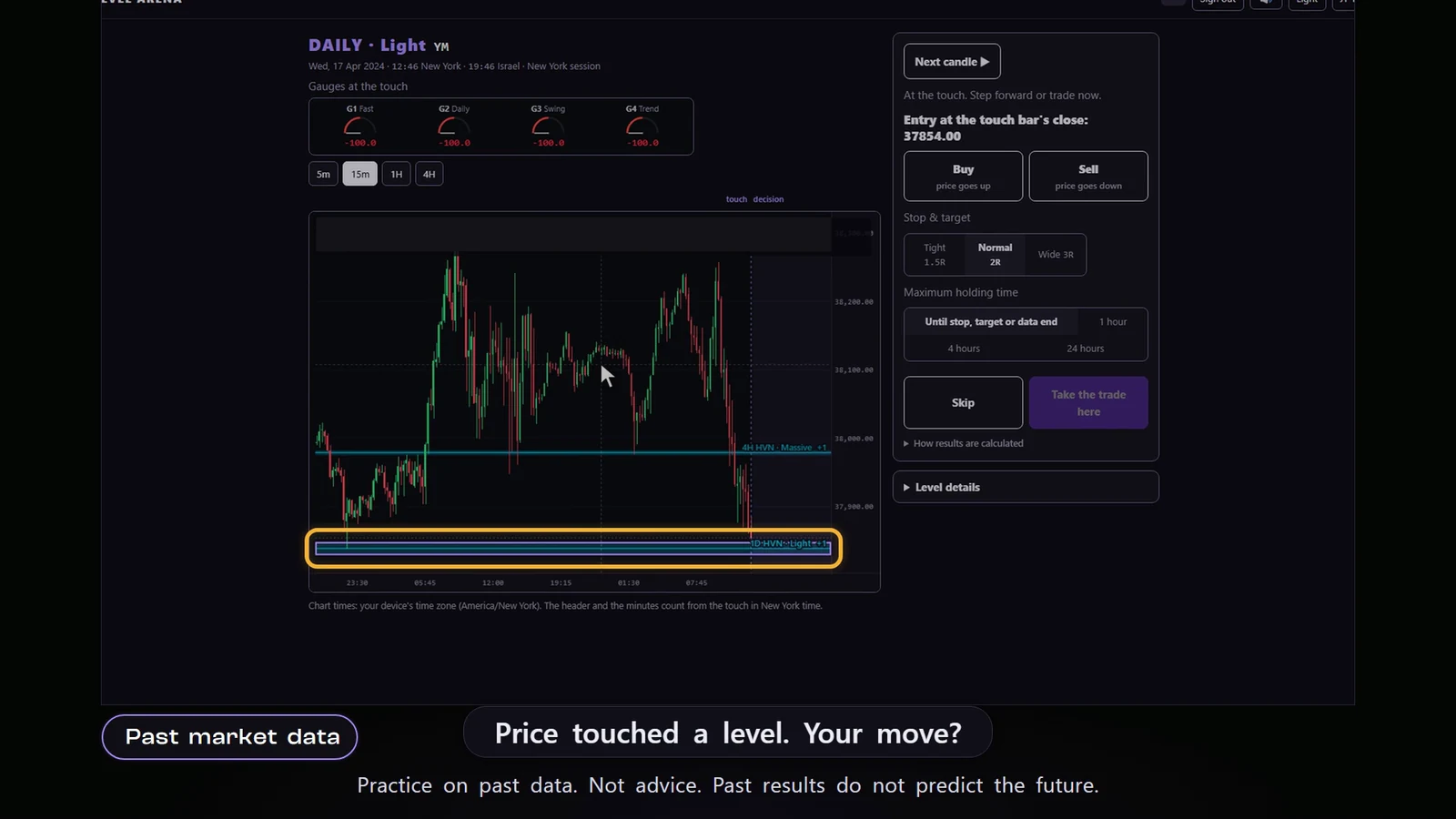
The full game opens separately. The demo above is a calculator with real NQ data from the last year.
The full explanations are on the product pages.